Product Overview: NHS.net Connect
A centralised platform for NHS staff to improve collaboration, streamline workflows, and access essential tools.
Product Overview
NHS.net Connect is a centralised digital platform designed to improve collaboration, streamline workflows, and provide easy access to essential tools and resources for NHS staff. It brings together multiple services across the Microsoft 365 ecosystem into a single, intuitive interface, while also enabling users to effortlessly locate NHS staff and organisations, automate tasks, and gain valuable insights into their systems to work smarter and more efficiently.
The Problem
NHS staff rely on multiple tools to communicate, share resources, locate contacts, and complete tasks. Inconsistent workflows make locating information frustrating.
Target Group
Healthcare professionals across the NHS who need a reliable, simple, and consistent way to access their digital collaboration tools.
The Solution
A centralised hub with clear navigation, service-specific filters, and streamlined access enabling NHS staff to work faster and more efficiently.
Design Approach
A user-centred design process
Understand the Context of Use
Research Activities & Outputs
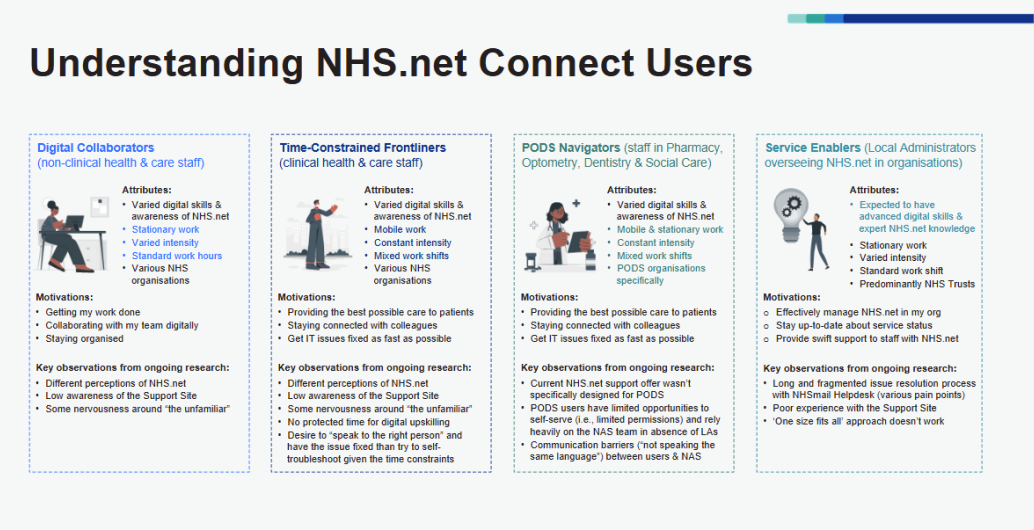
- Defined user personas: Frontline healthcare staff, administrative users, local administrators, and support agents.
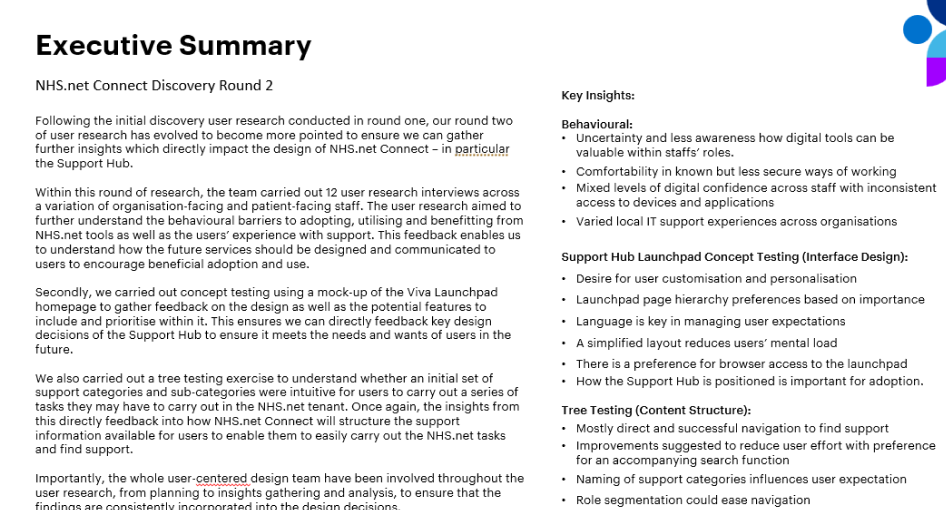
- UR conducted qualitative and quantitative research: Engaged 102 NHS staff members through 33 interviews, 59 survey responses, and 34+ hours of discussions.
Understand User Goals and Pain Points
- User motivations: Speed, reliability, and confidence when using digital tools.
- Primary pain points: Fragmented workflows, limited permissions, and slow, manual support processes.
- Identified user needs: More intuitive experiences, greater task autonomy, and smarter, automated support.
Analyse Tasks, Workflows, and Environments
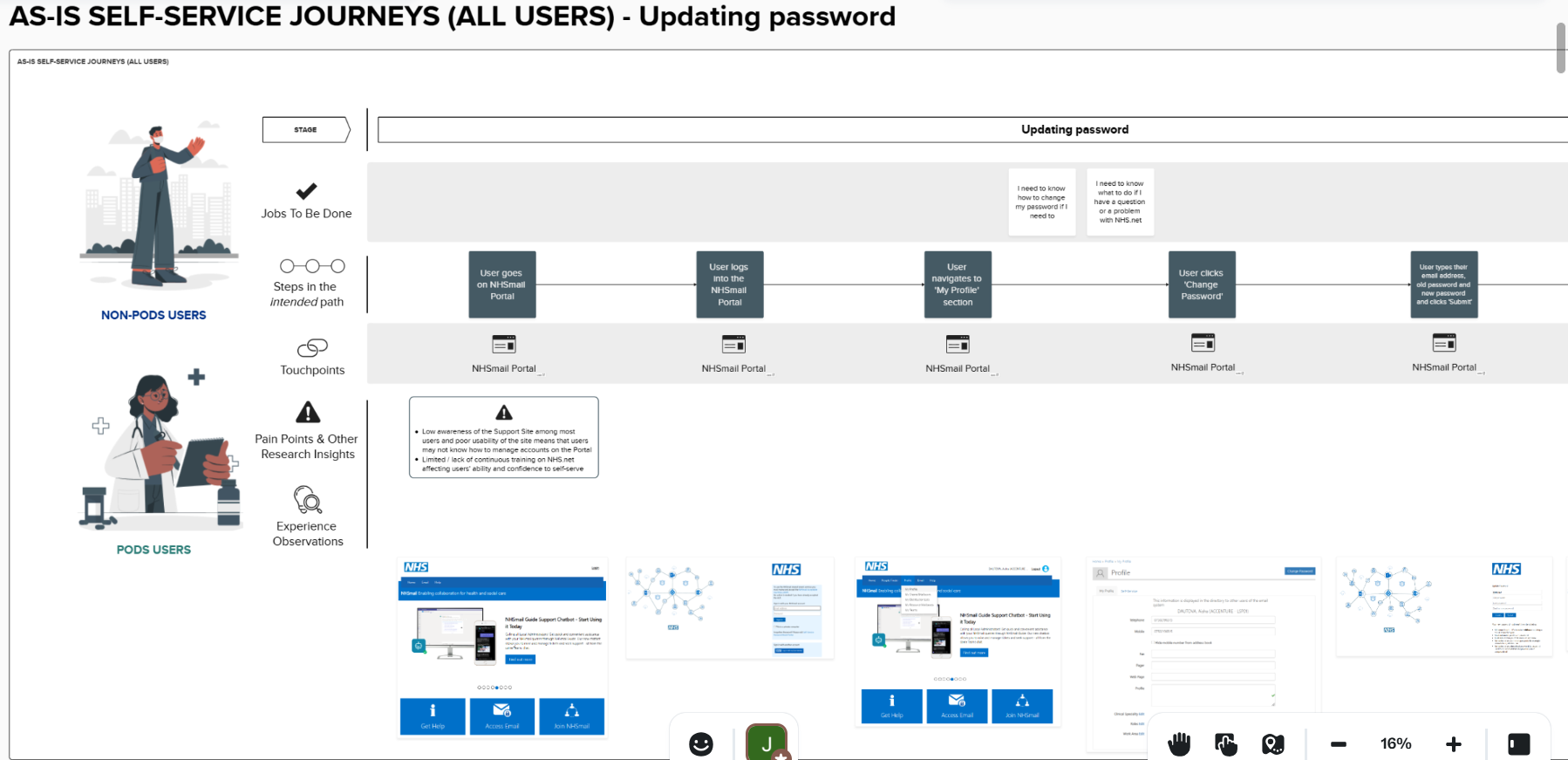
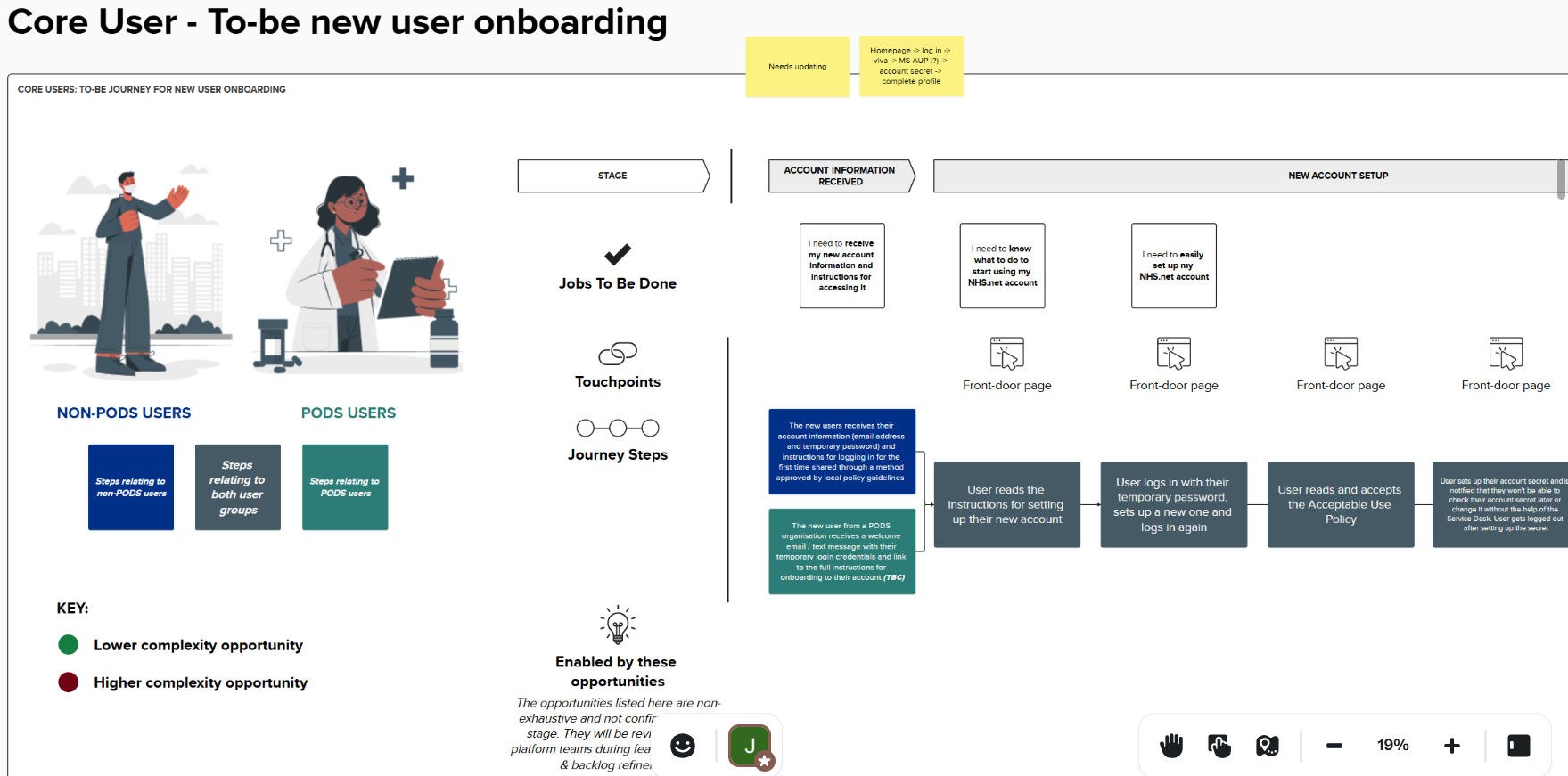
- Examined user journeys across key stages.
- Created AS-IS workflows and customer journeys.
- Understood how users complete everyday tasks and access support when issues arise
- Uncovered deeper insights: Identified usability issues, workflow breakdowns, unmet access needs, and systemic frustrations.
Requirements
Insights
- Task performance challenges: Performing certain tasks on the current portal is slow, fragmented, and limited in functionality.
- Lack of automation options
- Slow and click-heavy management processes
- Accessibility & engagement challenges
- Usability challenges
- Navigation & visibility issues
User Needs
- Desire for automated/faster processes for many tasks.
- Provide timely, transparent communication and support visibility
- Increase awareness and trust in support resources.
- Build digital confidence for many users
- Increase awareness of digital tools
Define System Requirements
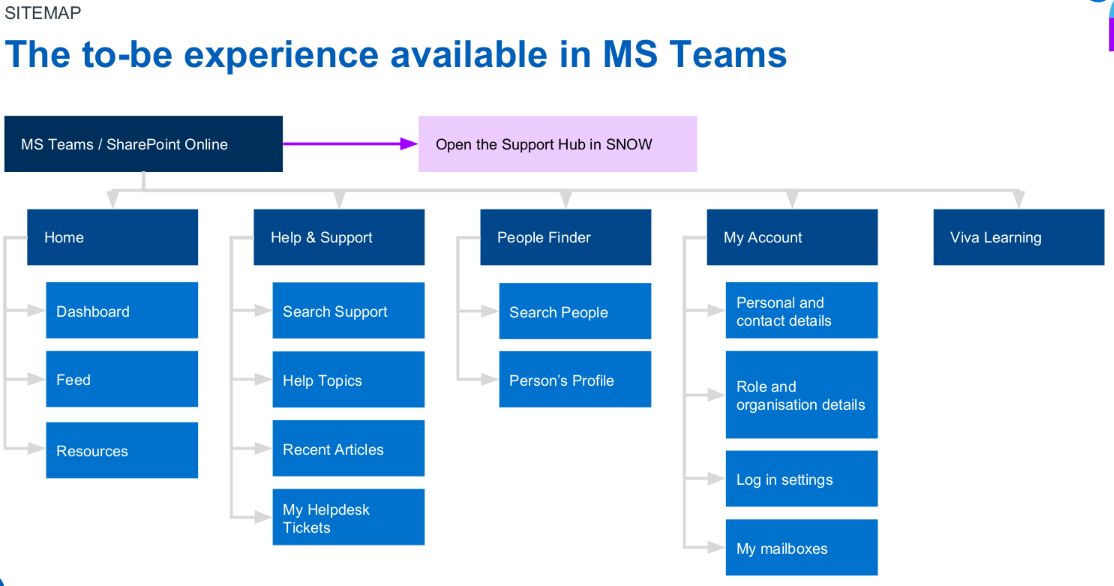
- Improved navigation: Make it easier and faster for users to find and complete tasks.
- Organize navigation: Clear hierarchical structure with a limited number of top-level options and intuitive pathways.
- Immediate access to key tasks and information: Minimize clicks, surface high-priority info, and reduce deep crawl paths.
- Promote trainings: Include on the home screen and allow seamless transitions.
Design Solutions
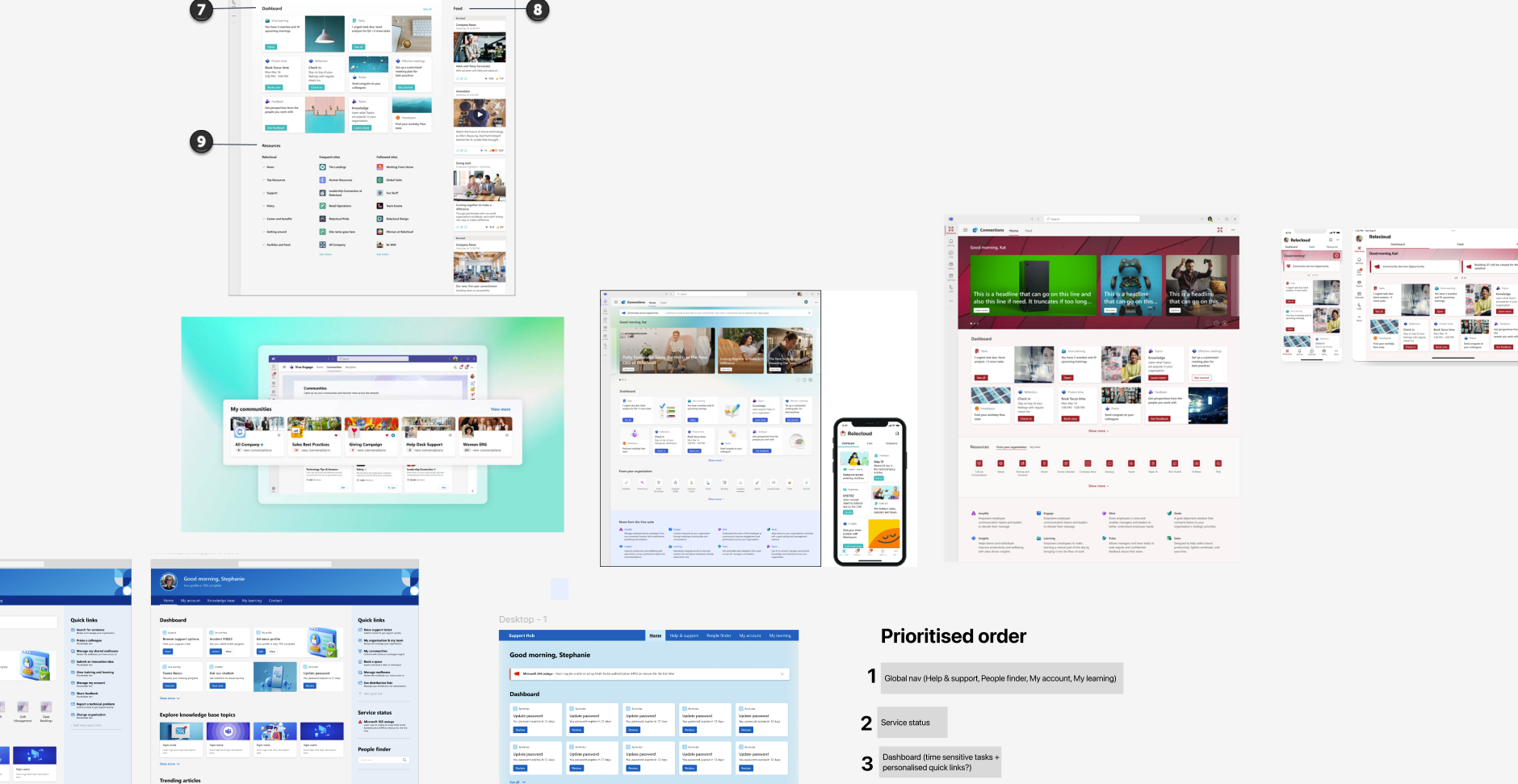
Explore Solutions
- Reviewed competitor products
- Conducted Design Thinking workshops
- Created low-fidelity wireframes
- Reviewed ecosystem principles: Provided actionable items in Launchpad on how to deliver against these principles.
Define Interactions and Interfaces
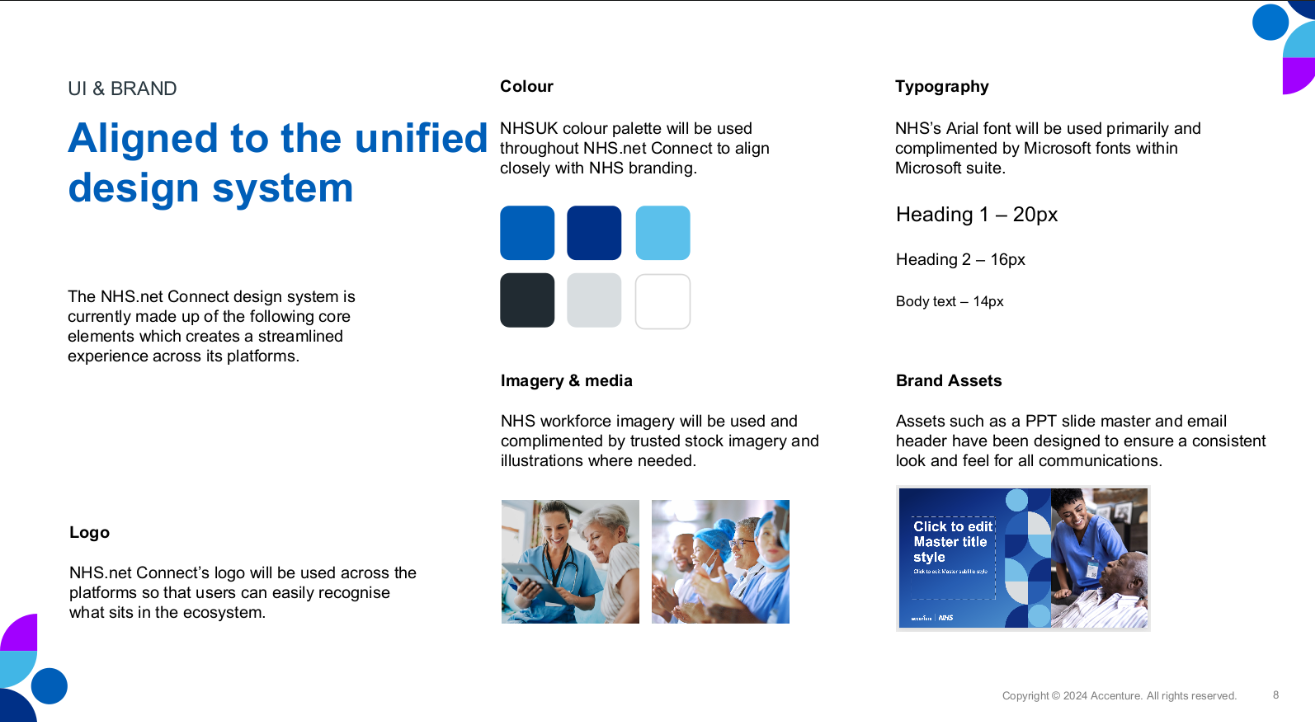
- Define UI design systems and components: Branding, color palette, typography, etc.
- Map information architecture and navigation structures: Included Card Sorting & Tree Testing.
- Develop wireframes, prototypes, and user flows
- Apply visual hierarchy, typography, and layout principles
- Iterate designs: Based on internal feedback and user testing.
- Define micro-interactions and behavior patterns: For usability.
Accessibility
- Defined accessibility standards: Worked with the market lead to align with WCAG 2.1 AA, deepening understanding of inclusive design and accessibility processes.
- Ongoing learning: Currently undertaking WCAG accessibility training to strengthen knowledge further.